The automator will order notaries using the following ranking system:
1. Client user preferred notary
2. Client preferred notary
3. Signing company favorite notary
4. Remaining notaries
How to favorite notaries
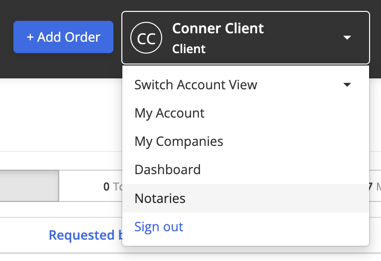
Step 1: Select your name in the right corner of the Navigation bar then select Notaries.
Step 2: Select +Add Preferred Notary to add a new notary. 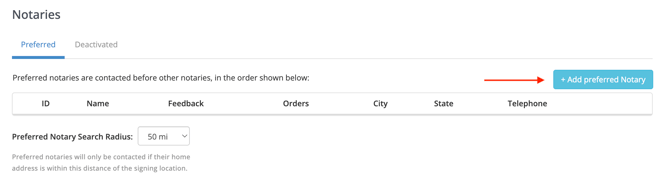
Step 3: Notaries can be searched by name and email address.Select the notaries name in the dropdown, then select Add. 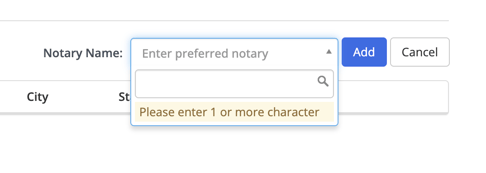
Note: The name or email address must be exact or the notary will not populate.
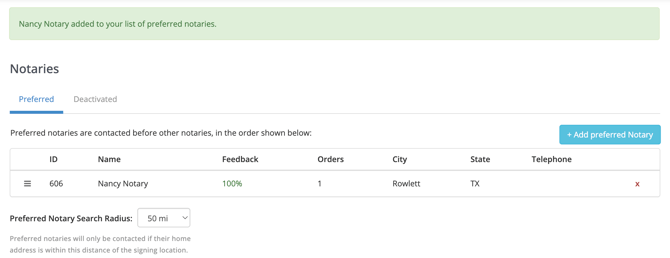
Step 4: A green banner will populate saying "[notary name] added to your list of preferred notaries." You will also see the notary was added below. You will now be able to see the notary ID, Name, Feedback percentage, Order count, City/State, and phone number. To remove the notary, click on x at the end of the row.