
SUMMARYToday’s CD Balancing updates include:
|
CD BALANCING
Improved CD Audit Assist Checks
Value: Ensure you produce a compliant CD every time
We have tweaked and added new checks to our CD Audit Assist feature. To get to these features go to Settings > Compliance Checks. They are outlined below.
- Homeowners insurance - We now check to ensure a homeowners insurance fee is either in section G or F
- Page 5 Contact updates - We now intelligently determine if a loan is a REFI and if it is we do not check for seller or buyer broker information
- State license ID and NMLS ID updates - There are two fields on a CD for NMLS ID and State license ID. They are normally called Contact license ID and license ID for example. We only now check to make sure one or the other is filled in
- Transfer tax government payee updates - We fixed a bug with this functionality and now check for the word “Registry” to ensure a government payee is on the transfer tax lines
- Title Fees all in same section update - We fixed a bug to ensure all title fees are either in section B or C but not split between the two sections
CD BALANCING
Blocked Extraneous Emails - Send Updated CD, Pre-balanced
Value: Ensure you are saving time by only receiving emails you need
We now only send a single email when you click the send updated CD button or pre-balanced button - previously we were sending notifications about processing documents when that was redundant and confusing.
CD BALANCING
Allow setting a pre-balanced state
Value: Create clarity across all parties on the state of the CD
To turn this setting on you use the checkbox in the screenshot below.

This will allow a user to mark a CD entry as “Pre-balanced” to indicate to users that the title fees are balanced but potentially the wire or lender fees still need to be finalized. This button and status look like the below.

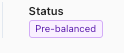
This will change the status and pull a new CD, but it won’t change anything else about the state of the entry. To change the status back you click the button below.

CD BALANCING
Only mark the most recent title CD as “current”
Value: Create clarity in Encompass by only having one title CD marked as “current”
When pushing title CDs back to Encompass, we can now automatically mark the most current one as current with the below setting.

CD BALANCING
Add watermarks to supplemental documents
Value: Add watermarks to your supplemental documents so settlement knows they are a draft
By using the below setting you can add and remove the watermarks applied to the supplemental docs.

CD BALANCING
Improved dashboard filtering
Value: Users can now work faster by filtering and sorting columns more efficiently
You now can filter by individual value for the below columns
- Status
- Closer
And sort on the below columns
- Created date
- Closing date

CD BALANCING
Improved title email
Value: Title will have their attention drawn to what matters in the initial email
- The initial title email now has the subject line starting with “Action Required:”
- The email has a blue background to draw attention to the custom instructions
- If you wrap and text in your note in a “*” it will bold automatically in the email
