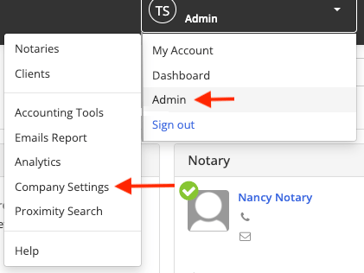
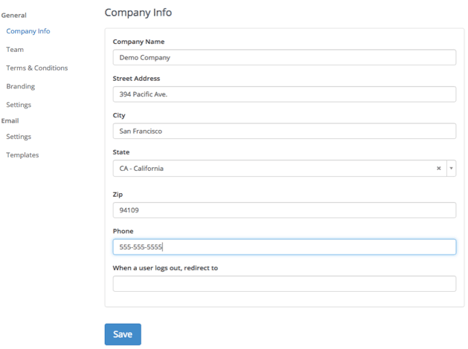
How to Update Company Information An admin can update company information, such as your company name or address, in the Company Settings. Step 1: Select Admin > Company Settings Step 2: Enter your company information details. Step 3: Select Save.