Skip to content
  • There are no suggestions because the search field is empty.

Manually Uploading a settlement CD

If settlement emails you a CD, first direct them to use the Snapdocs CD Balancer. If they decline, you can upload the settlement CD manually and use the Snapdocs balancing UI for them.

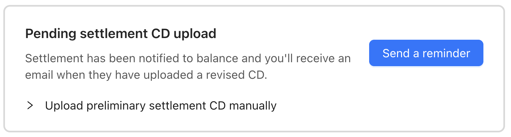
Step 1: Open the balancing entry. Select the arrow to expand Upload preliminary settlement CD manually.
Step 2: Upload the settlement CD.
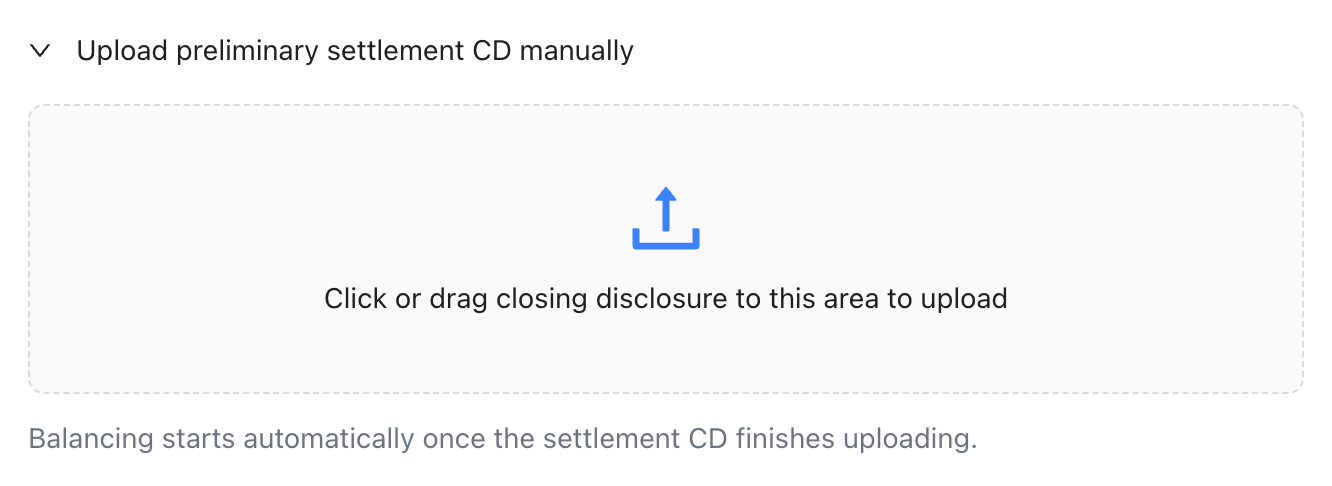
Step 3: Balancing starts automatically once both CDs finish uploading. If a Start balancing button appears instead, select it.