
Today’s CD Balancing updates include:
-
Closings + CD Balancing Integration
-
Supplemental Document Controls
-
ICD Balancing Enhancements
-
Alternate CD Configuration
-
SSPL-Based Fee Placement
-
Smart Payee Automation
-
Entry Details: Borrower Name & Closing Date
-
Settlement Workflow Improvements
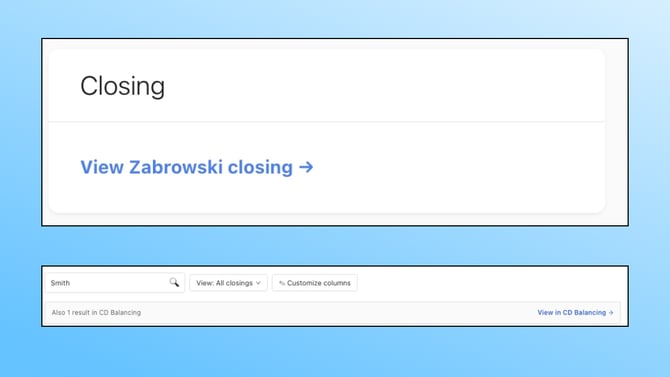
Closings + CD Balancing Integration: Seamless Cross-Platform Navigation
You can now navigate directly between your closings entries and CD balancing entries — no more switching tabs or searching manually.
From the closings dashboard or a closings entry, click through to the linked CD balancing entry. From CD balancing, jump to the associated closing just as easily. Entries are matched automatically by file number, GUID, and borrower last name. Cross-platform search results also surface matching entries from both dashboards, so you can find what you need from wherever you're working.
To enable: This is available to all CD Balancing customers automatically.
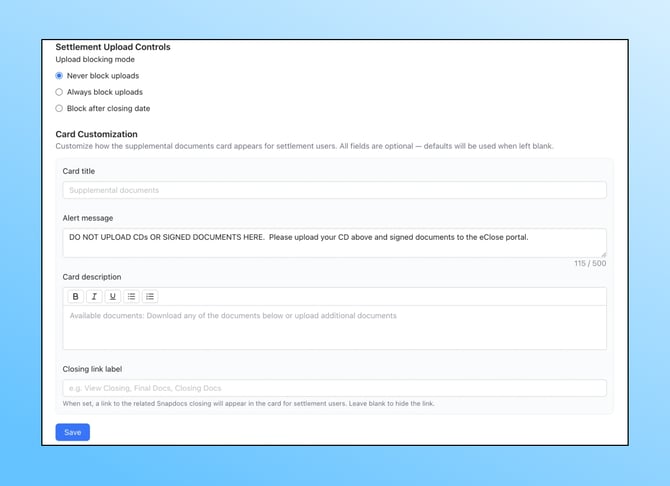
Supplemental Document Controls: Greater Oversight, Clearer Communication
New company-level settings give you more control over how settlement agents interact with supplemental documents in your workflow.
To enable: Go to Company Settings.
What You Can Configure
- Customize the supplemental docs section text: Add custom instructions or warnings that settlement agents will see when viewing the supplemental documents section
- Block uploads from settlement: Restrict settlement agents from uploading supplemental docs — either entirely or after the closing date
- Add a link to the closing: Include a labeled link to your closing platform for easy settlement agent reference
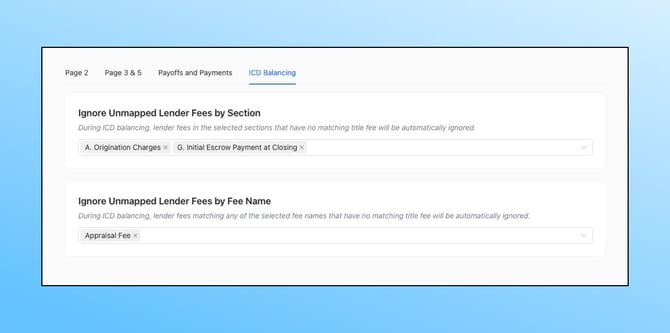
ICD Balancing Enhancements: Less Noise, More Accuracy
Two new features make Initial CD balancing faster and more focused.
Ignore Lender Fees in ICD Balancing
When balancing the ICD, the title CD often doesn't include lender fees yet — creating unnecessary noise in the balancer. You can now configure the system to ignore unmatched lender fees by section (e.g., Section A, Section G) or by specific fee name (e.g., Appraisal Fee), so you can focus on the fees that actually need attention.
To enable: Go to Automations settings.
Automatic Contact Refresh
When you move from ICD balancing to sending the CD to settlement for final balancing, contacts on the entry are now automatically refreshed — no manual updates needed. The system re-pulls the latest contact information along with the CD, supplemental documents, and other entry data.
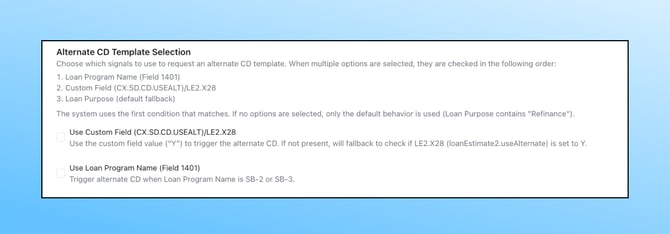
Alternate CD Configuration: Flexible Document Selection
Lenders can now choose the method used to determine whether to pull the normal or alternate Closing Disclosure. Available options include:
- Loan Purpose
- Field 1401
- LE.X28
- A custom field of your choice
This gives you the flexibility to align CD selection with your specific LOS configuration and workflow.
To enable: Go to Company Settings.
SSPL-Based Fee Placement: Automatic Section B & C Assignment
Fees are now automatically placed in Section B or Section C based on your Shoppable Service Provider List (SSPL) in Encompass. If a payee on a fee appears on the SSPL list for Section C, the system will place that fee in Section C — regardless of where the title company originally categorized it.
This reduces manual re-sorting and helps ensure your CD stays compliant with TRID guidelines.
To enable: Go to Automations settings.
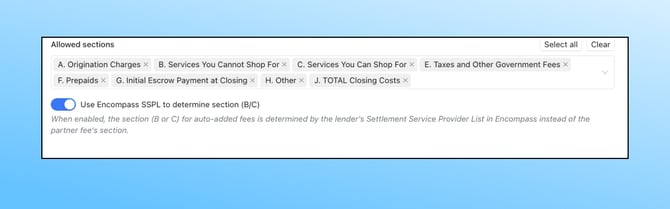
Smart Payee Automation: AI-Powered Payee Selection
A new AI-powered payee automation intelligently selects the best payee name when multiple variations exist across your documents. For example, if one source lists "Title Co" and another lists "Title Company," the system will use the more complete and descriptive name.
To enable: Toggle on Smart Payee in Automations settings.
Entry Details: Borrower Name & Closing Date
Two improvements make it easier to identify and manage your CD balancing entries at a glance.
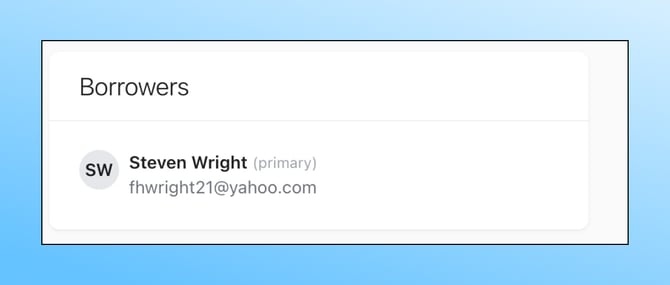
Borrower Name Display
Borrower names now appear directly on CD balancing entries, so you can quickly identify the right file without opening the full entry.
Closing Date Sync & Editing
The closing date is now pulled automatically from Encompass with every interaction and can also be edited manually on the entry — giving you both automation and flexibility.

Settlement Workflow Improvements
Auto-Upload for Settlement Agents
If a settlement agent uploads a CD but doesn't click the final upload button, the system will now automatically process the upload after 5 minutes. This prevents delays caused by incomplete submissions and keeps your balancing workflow moving.
Invalid Email Notifications
If any email address on an entry is invalid, the closer will now receive an email notification so they can correct it before it causes delivery issues.