NEWSLETTER SUMMARYToday’s Notary Connect updates include:
|
NOTARY CONNECT
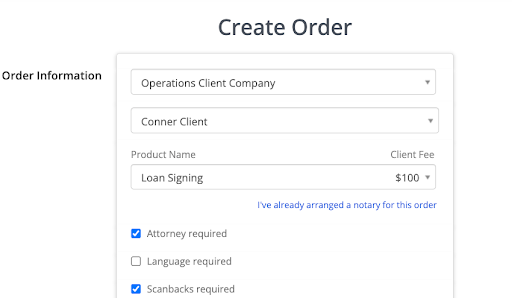
Allow schedulers to pre-assign notaries
Company members are now able to pre-assign any notary directly from the order form. This option is available for all schedulers and admin. Once the order is created, the notary will be automatically assigned to the order.
NOTARY CONNECT
Allow pre-assignment enablement in company settings and client settings
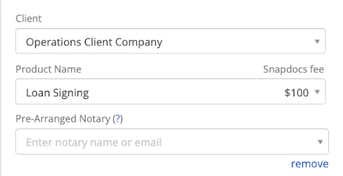
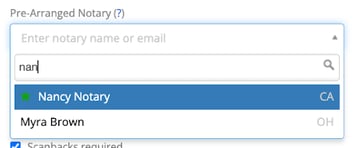
There is a new company and client setting that allows clients to pre-assign notaries from the order form. Selecting a notary from the order form will directly assign the notary once the order is created. Previously this setting was behind the augmented client experience setting, but it is now available to everybody.
Please note: If you have Snapdocs verified status enabled then your clients can only preassign notaries that are Snapdocs verified. If you do not have Snapdocs verified enabled, your clients can only preassign company favorited notaries.
You can globally enable this feature for all clients in company settings:

You can also enable/disable for a specific client and client settings:

The option to select a notary appears once the client and product have been selected:
NOTARY CONNECT
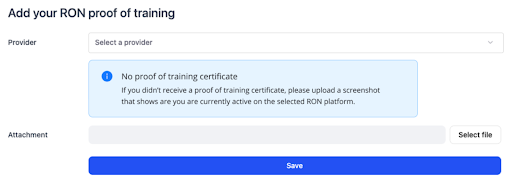
Add a helper text to notary UI for proof of training
We've added help or text on the proof of training Ron credential for notaries. This will provide notaries a way to become RON verified in Snapdocs if they were not provided a proof of training certificate.