
Step 1: Login to your Snapdocs account at app.snapdocs.com.
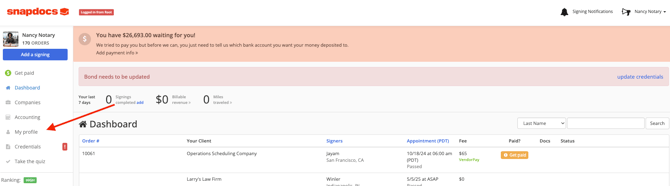
Step 2: Once you're logged into your account, select on My Profile in the left-hand column.
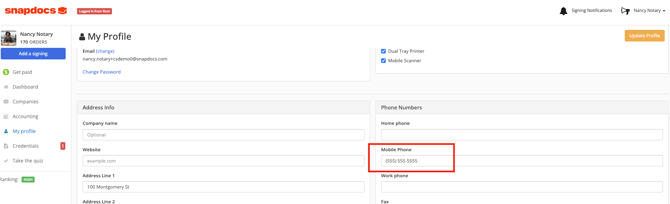
Step 3: On your My Profile page, update the phone number for your account.
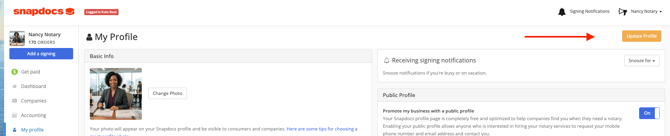
Step 4: Once you've updated the email address, select on Update Profile in the upper right-hand corner to save your changes.
Step 5: If your phone has been successfully updated, a confirmation message should appear at the top of the page to let you know.

Note: If you no longer have access to the phone number associated with your account and cannot receive the sign-in verification code, please contact Snapdocs Support at support@snapdocs.com Our team can assist with updating your phone number and help you regain access to your account.